Overview
The Email Templates page allows Community Admins and users with the appropriate permissions to customize the automated emails sent from their community. Key AI provides default system email templates for supported community activities. Community administrators can customize these templates to match their community's branding, tone, and messaging. If a template is not customized, the default system-generated email is sent automatically.
Access Email Templates
The Email Templates page is available only to Community Admins and users assigned a custom role with permission to manage community settings.
To access Email Templates:
- Open the community you want to manage.
- Click Settings.
- Select Email Templates.
If you don't see this option, your current role doesn't include permission to manage email templates.
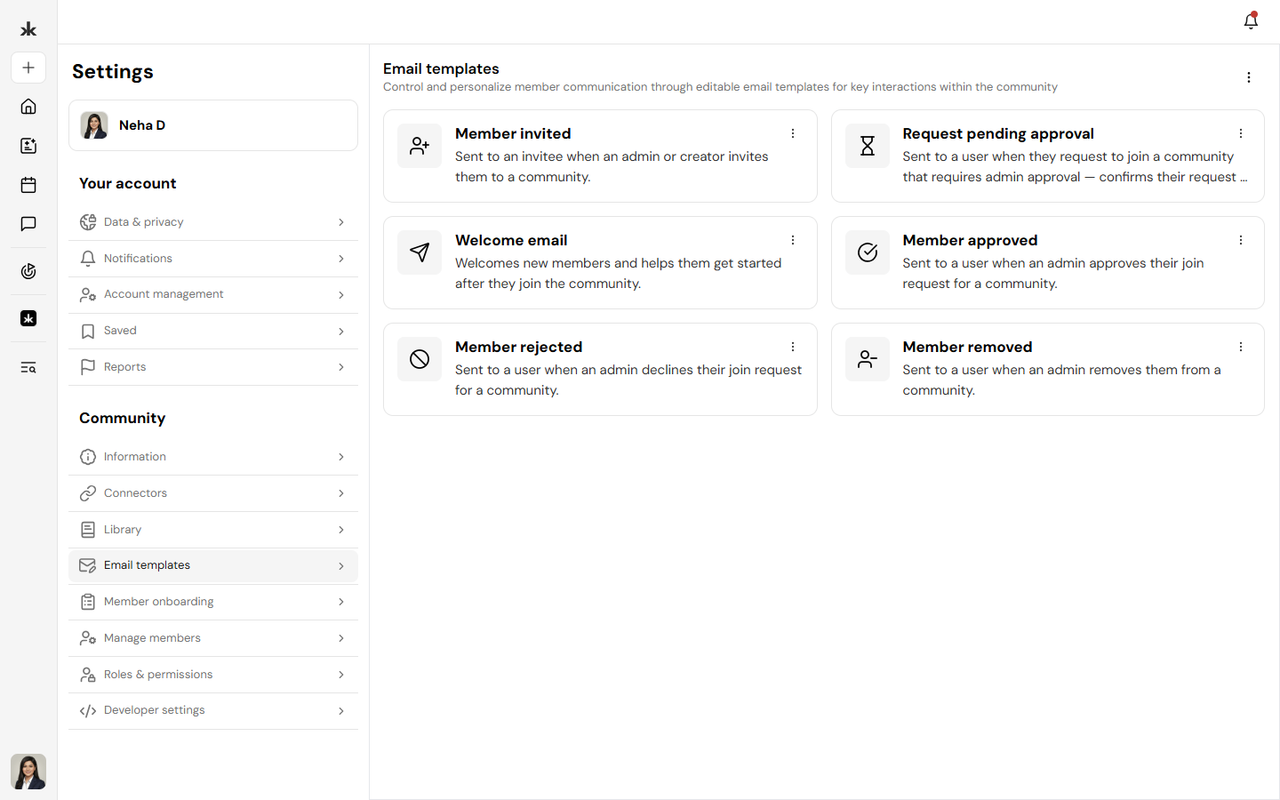
Default Email Templates
Key AI automatically sends system-generated emails for supported community activities. These default templates are ready to use and require no configuration. If you choose not to customize an email template, the platform will continue using the default system-generated version.
Customize an Email Template
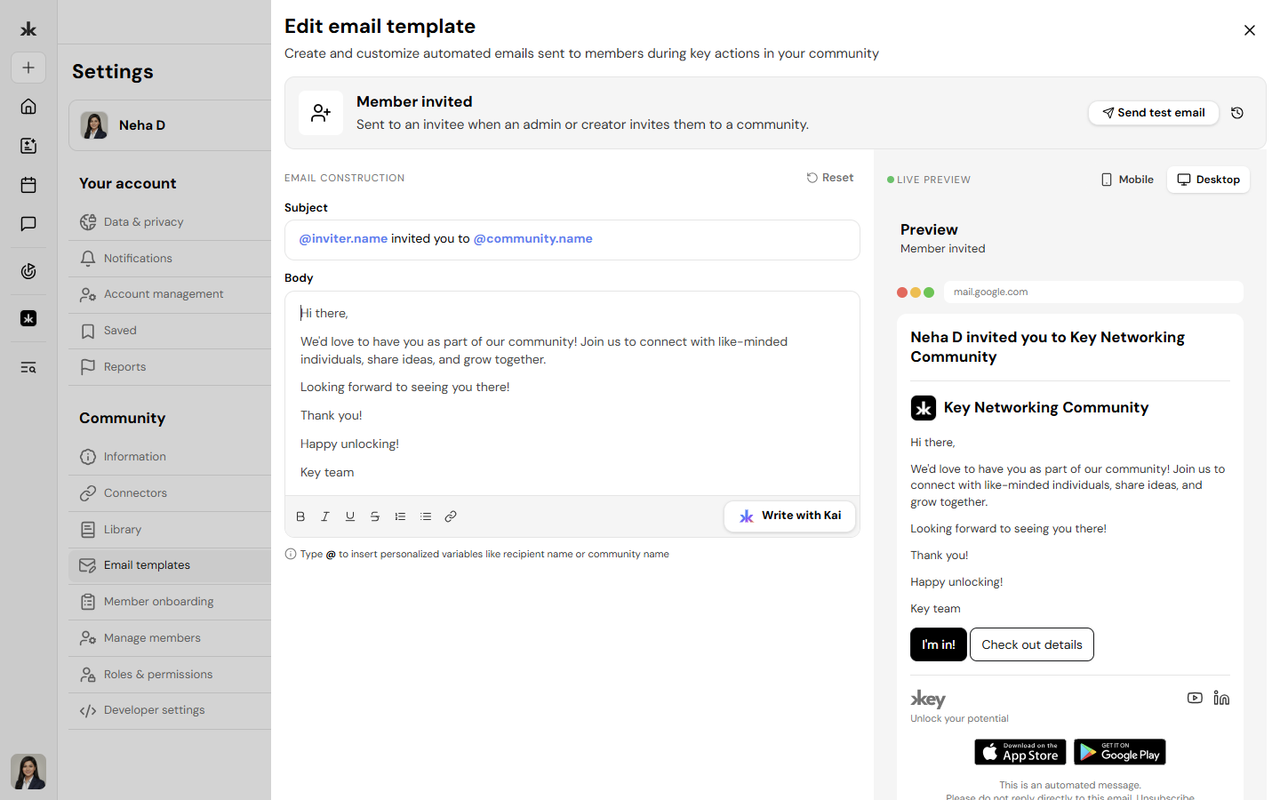
Community Admins can personalize email templates to better reflect their community's branding and communication style.
To customize a template:
- Open Email Templates.
- Select the email template you want to edit.
- Modify the subject or email content as needed or use Kai to do so.
- Save your changes.
Once saved, future emails for that template will use your customized version instead of the default system email.
Restore the Default Template
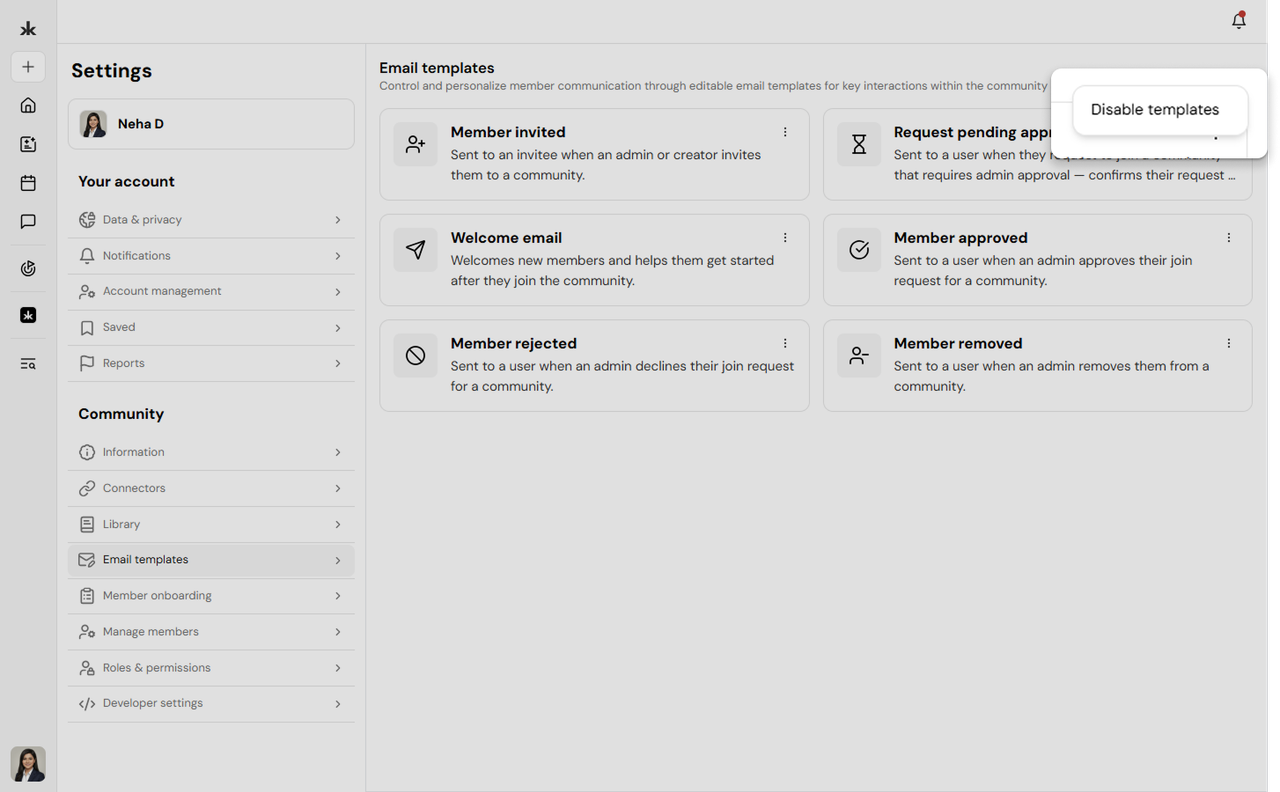
If you no longer wish to use a customized email template, you can restore the default version provided by Key AI.
Disable the templates to restore default templates
Best Practices
- Customize templates to match your community's branding and tone.
- Review email content before saving changes.
- Keep messages clear, concise, and professional.
- Update templates periodically to ensure they remain relevant.
- If customization isn't required, the default system templates provide a ready-to-use communication experience.
Frequently Asked Questions
Who can customize Email Templates?
Only Community Admins and users with permission to manage community settings can customize email templates.
Do I have to customize every email template?
No. Customizing email templates is optional. If you don't customize a template, Key AI automatically sends the default system-generated email.
Can I edit a template after saving it?
Yes. Email templates can be updated at any time.
What happens after I customize an email template?
Future emails for that template will use your customized content. Previously sent emails are not affected.