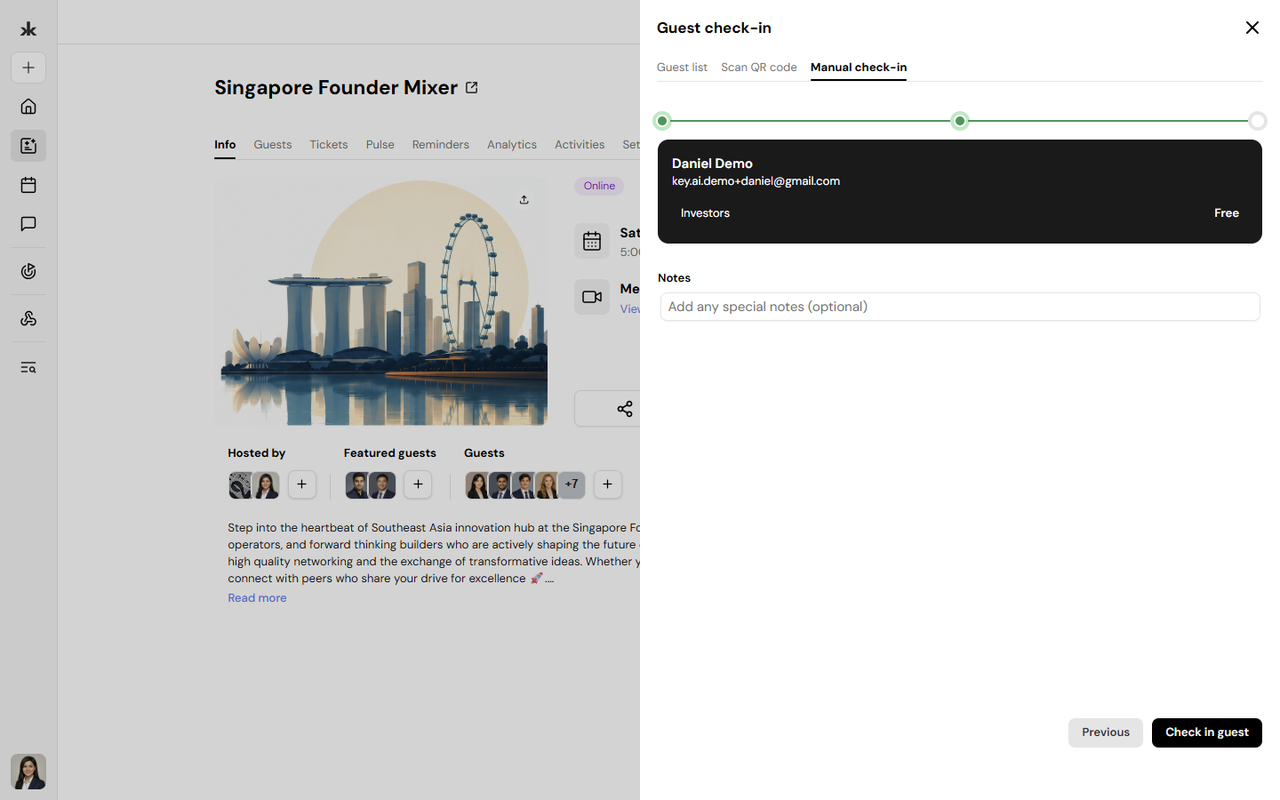
The Guest Check-in feature allows event organizers to mark attendees as present during an event. From a single check-in interface, organizers can search for guests, scan QR codes, or manually add and check in walk-in attendees.

Open the Guest Check-in Window
- Open the event.
- Go to the Info tab.
- Click Check-in.
This opens the Guest Check-in window with three tabs:
- Guest List
- Scan QR Code
- Manual Check-in
Guest List
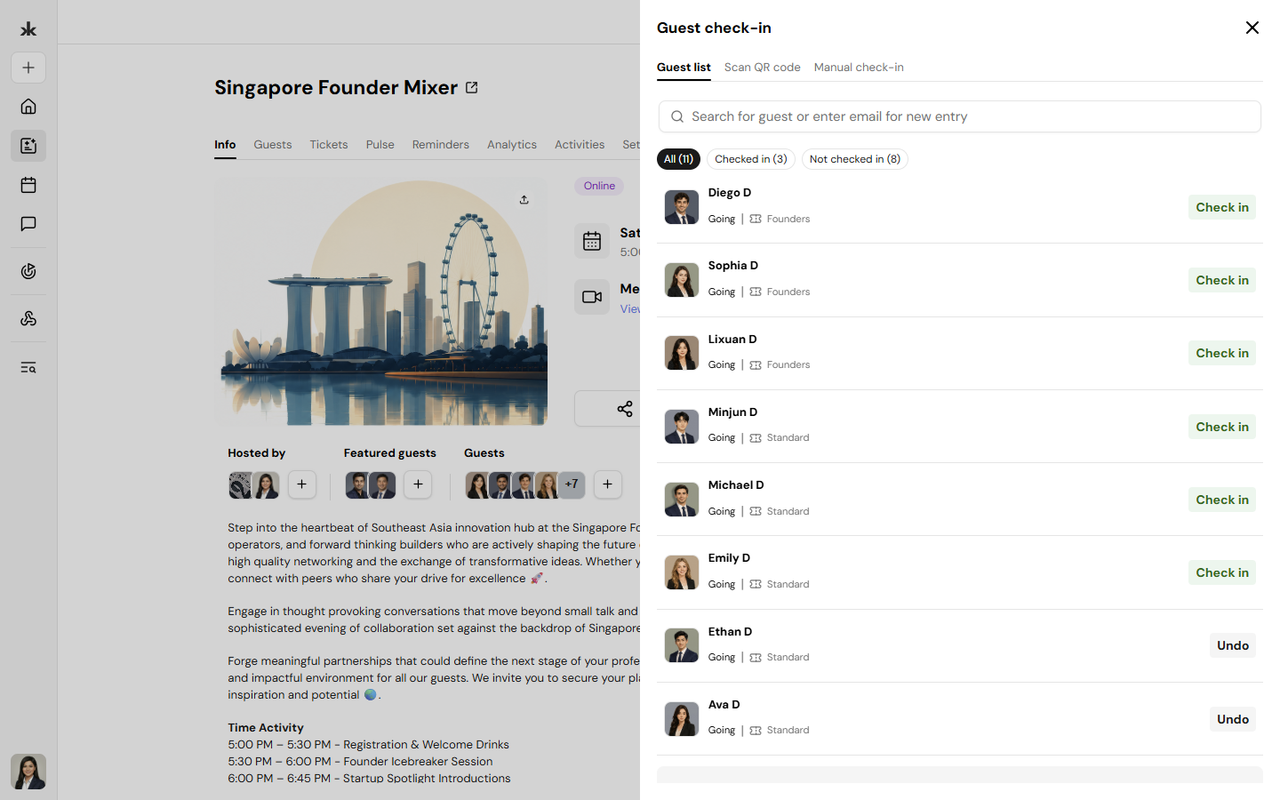
The Guest List tab lets organizers view and search registered attendees before checking them in.
You can:
- Search guests by name or email.
- Filter guests by:
- All
- Checked in
- Not checked in
- View each guest's RSVP status and assigned ticket.

Scan QR Code
The Scan QR Code tab allows organizers to check in attendees by scanning the QR code on their event ticket.
To use QR check-in:
- Open the Scan QR Code tab.
- Allow camera access when prompted.
- Scan the attendee's QR code.
- The attendee is automatically checked in after a successful scan.
QR check-in provides a fast and accurate way to process attendees during event entry.

Manual Check-in
Manual Check-in is designed for walk-in attendees or situations where a guest does not have their QR code available.
To manually check in a guest:
- Open the Manual Check-in tab.
- Enter the guest's:
- First Name
- Last Name
- Email Address
- Click Continue to tickets.
- Select the appropriate ticket.
- Complete the check-in.
The guest is automatically added to the event guest list and marked as checked in.