Overview
The Membership Directory helps members discover, connect, and collaborate with other members in a community. It provides a centralized view of community members, making it easy to browse profiles, start conversations, and build meaningful professional relationships. The information displayed in the Membership Directory is based on each member's profile. Tip: Keeping your profile complete and up to date helps other members discover you and improves the quality of AI-powered recommendations and opportunities.
Access the Membership Directory
To access the Membership Directory:
- Open the community you want to explore.
- From the Community Menu, select Membership Directory.
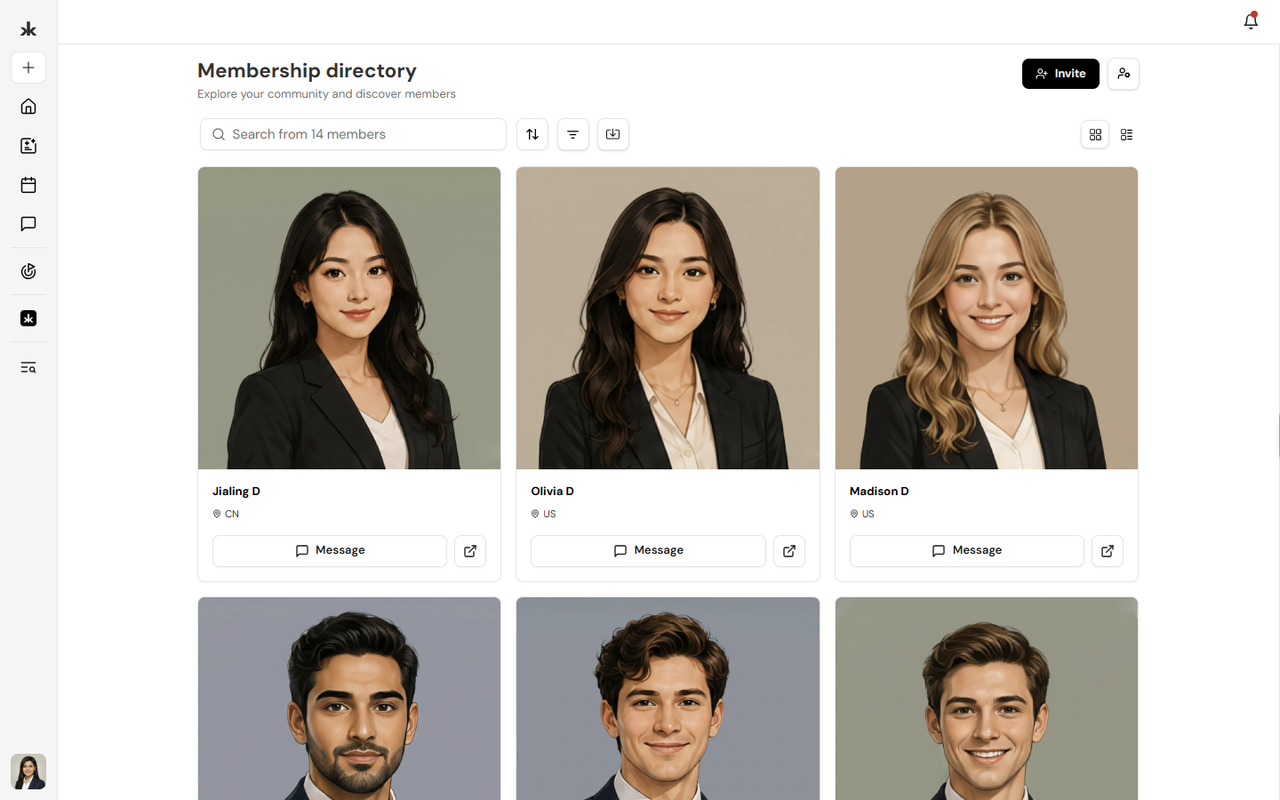
The directory displays all members who belong to that community.
Browse and Search Members
The Membership Directory provides multiple ways to find and organize community members.
You can:
- Browse all community members.
- Search for members by name.
- Sort members using the available sorting options.
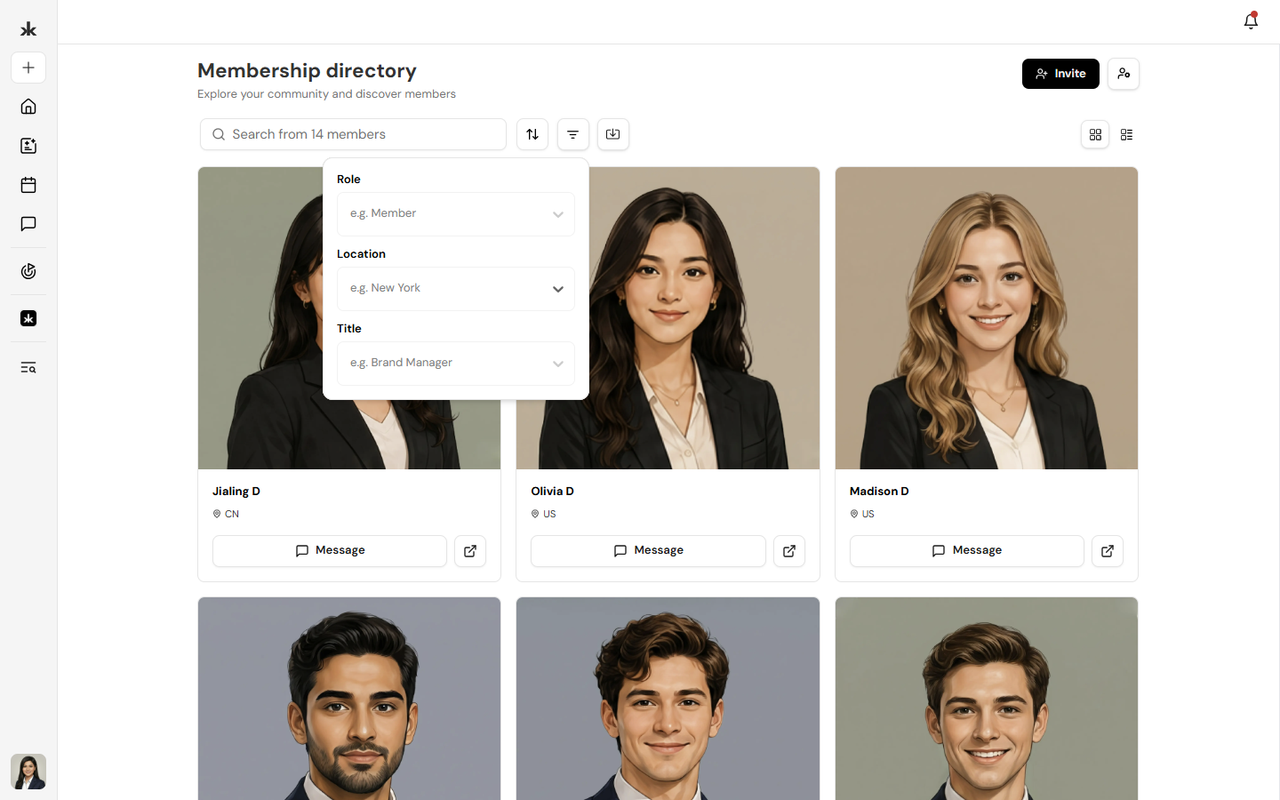
- Apply filters to narrow your search.
- Switch between Grid View and List View based on your preference.
- Export the member list (if permitted by your role).
These tools make it easy to navigate and manage communities of any size.
View Member Profiles
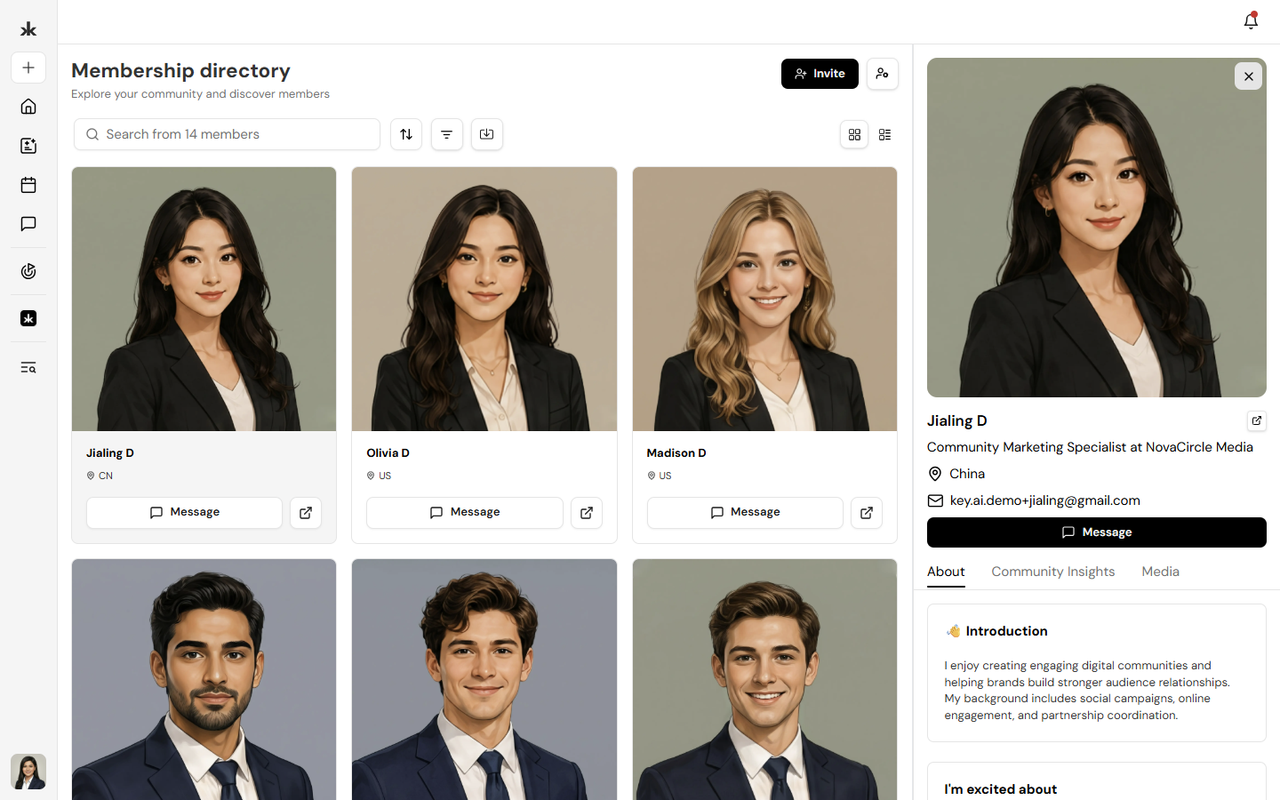
Select a member's profile card or the Open Profile icon to view additional information about them. Depending on the information they have shared, a profile may include:
- Profile photo
- Name
- Professional headline
- Location
- About section
- Work experience
- Education
- Skills and expertise
- Social and professional links
The information displayed varies based on what each member has chosen to include in their profile. From the member profile, you can also start a direct conversation using the Message option.
Connect with Members
The Membership Directory makes it easy to connect with other community members.
From a member card, you can:
- Send a direct message using the Message button.
- Open the member's full profile to learn more about them before reaching out.
Building connections through the Membership Directory helps members collaborate, network, and engage more effectively within the community.
Invite Members
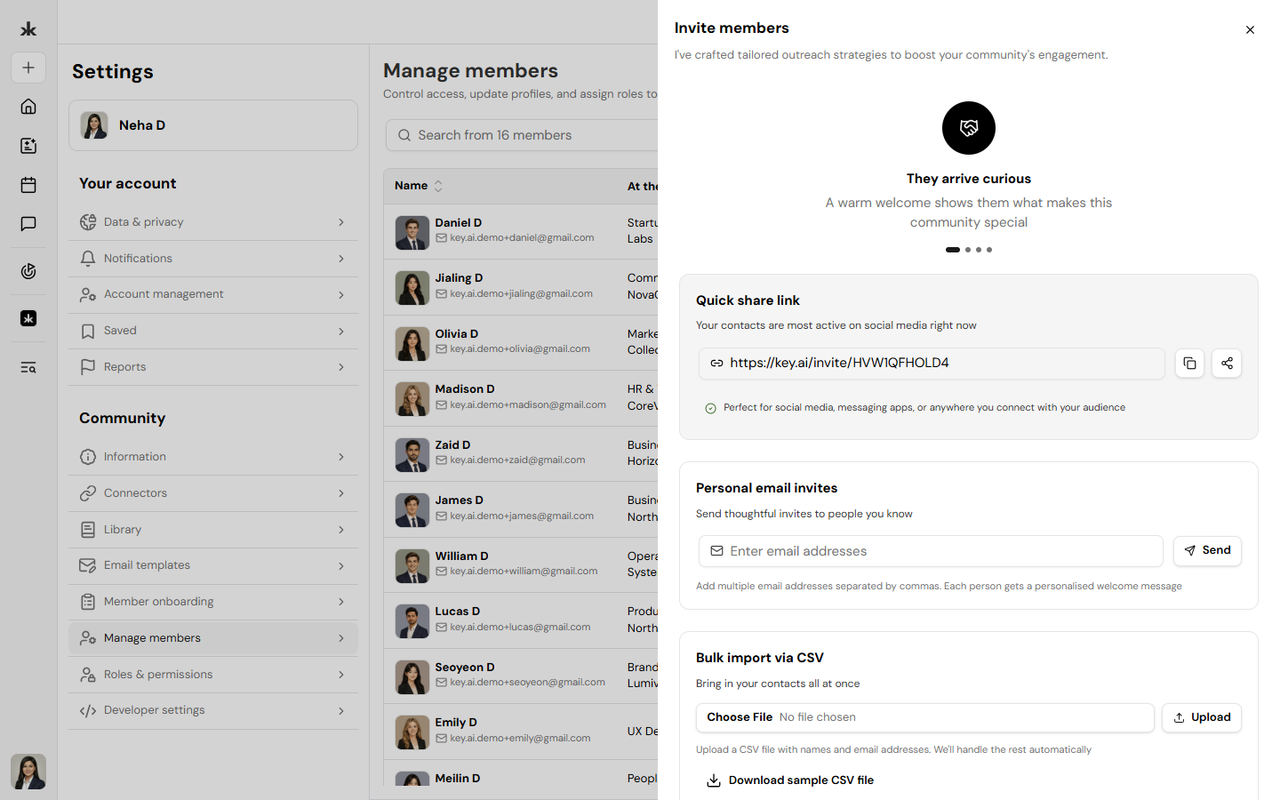
Community administrators and users with the appropriate permissions can invite new members directly from the Membership Directory. Invited members can join the community and begin participating based on the permissions assigned to them.
Why Keep Your Profile Updated?
A complete profile helps other members learn more about you and increases your visibility within the community.
Keeping your profile updated can help you:
- Build meaningful professional connections.
- Increase your visibility within communities.
- Make networking more effective.
- Help Key AI curate more relevant AI-powered recommendations and opportunities.
- Make it easier for other members to discover your skills and expertise.
We recommend reviewing your profile regularly to ensure your information remains accurate.
Frequently Asked Questions
Who can view the Membership Directory?
Members can view the Membership Directory for communities they have access to.
Can I search for specific members?
Yes. Use the search bar to quickly find members by name, and use the available sorting and filtering options to refine your results.
Can I message another member?
Yes. Select the Message button on a member's card or profile to start a direct conversation.
Can I export the member list?
Yes. If your role includes the required permissions, you can export the member list from the Membership Directory.
Why should I keep my profile updated?
A complete profile improves your visibility within the community, helps other members connect with you, and enables Key AI to provide better AI-powered recommendations and opportunities.