Overview
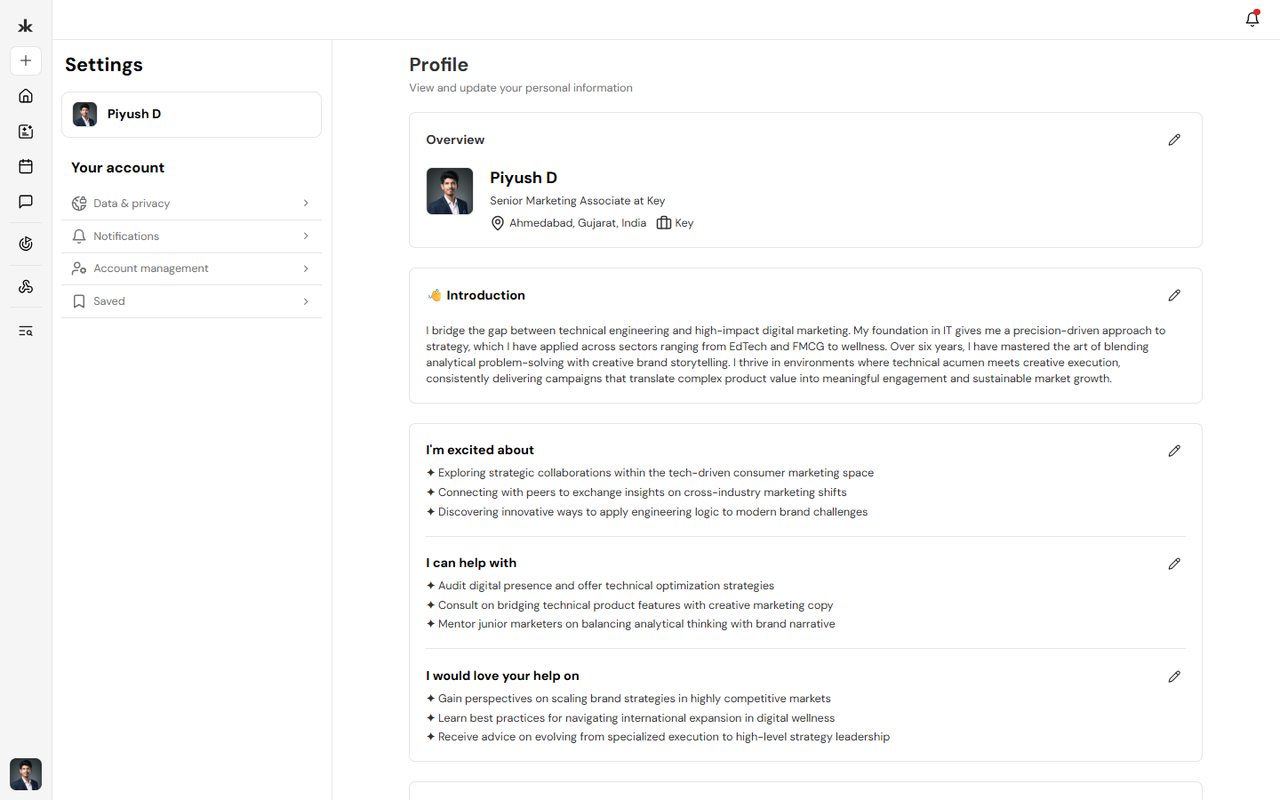
Your profile should reflect your latest professional information. As your experience, interests, or contact details change, you can update your profile at any time to keep your information accurate and help other members connect with you. Keeping your profile updated also helps Key AI provide more relevant opportunities and recommendations.
Edit Your Profile
To update your profile:
- Sign in to your Key AI account.
- Open your Profile.
- Click Edit Profile.
- Update the information you want to change.
- Save your changes.
Your updates will be reflected on your profile once they have been saved.
Update Your Profile Information
You can update your profile information whenever needed, including:
- Personal information.
- Professional information.
- Bio or introduction.
- Areas of expertise and interests.
- Contact information.
- Social profile links.
Keeping this information current helps other members better understand your background and improves your networking experience.
Change Your Profile Picture
You can change your profile picture at any time.
To update your profile picture:
- Open your profile.
- Select your current profile picture.
- Click on edit profile.
- Upload a new image or replace the existing one.
- Save your changes.
If your profile picture was imported during profile enrichment, replacing it will override the imported image.
Why Keep Your Profile Updated?
Updating your profile helps you:
- Maintain an accurate professional profile.
- Help other members recognize and connect with you.
- Improve the relevance of opportunities recommended by Key AI.
- Ensure your latest professional information is available across the platform.
Best Practices
- Review your profile regularly.
- Keep your professional information current.
- Update your profile picture when needed.
- Add relevant skills, interests, and experience as they evolve.
- Ensure your profile accurately represents your professional background.
Frequently Asked Questions
How often should I update my profile?
Update your profile whenever your professional information, role, organization, or interests change.
Will changing my profile affect my communities?
No. Updating your profile only changes your profile information and does not affect your community memberships. Can I replace the profile information imported during profile enrichment? Yes. You can edit any imported information and replace your profile picture at any time.