Overview
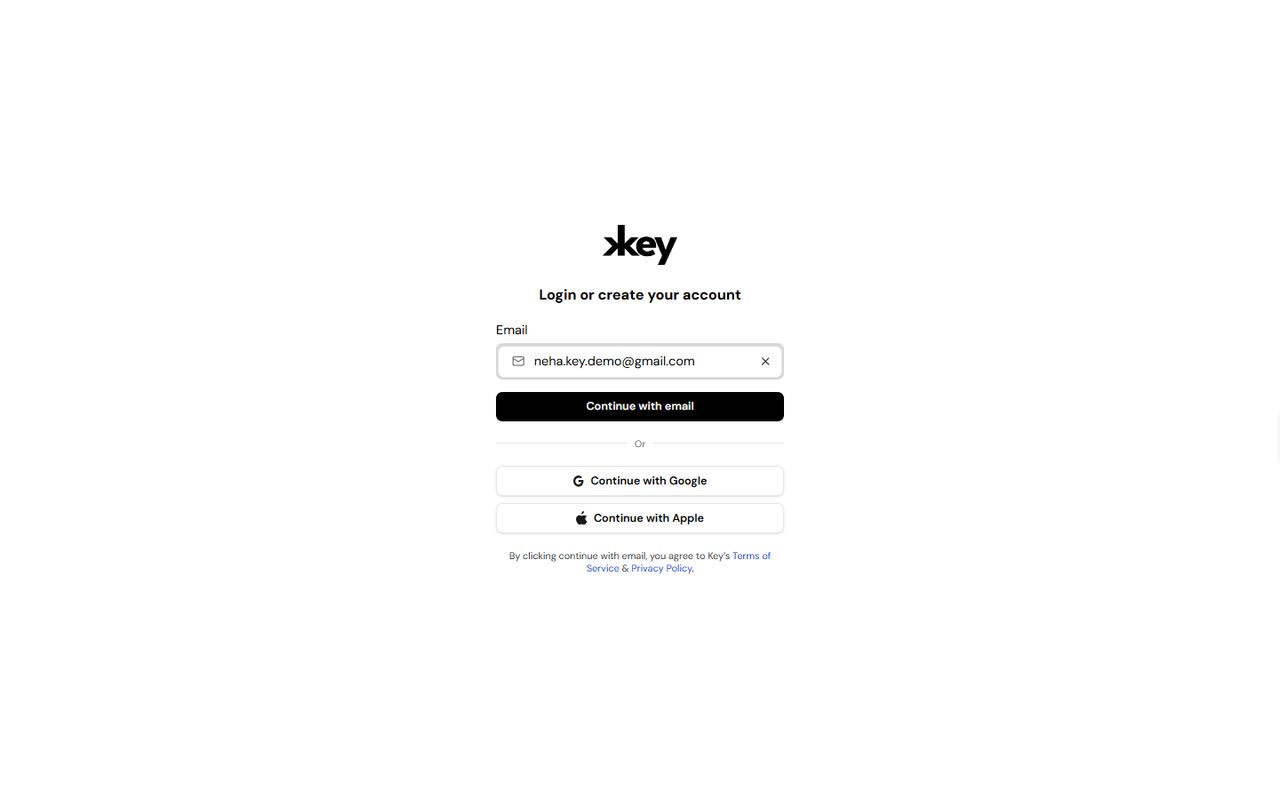
Creating a Key AI account gives you access to communities, events, opportunities, and other platform features. You can create an account using your email address or by signing in with a supported authentication provider. If you already have an account, you can use the same screen to sign in.
Create an Account Using Your Email
To create an account using your email address:
- Open the Key AI login page.
- Enter your email address.
- Click Continue with email.
- Verify your email by entering OTP.
- Follow the on-screen instructions to complete your account setup.
- Once your account has been created, you'll be signed in to Key AI.
Create an Account Using Google
If you have a Google account, you can create your Key AI account by:
- Opening the Key AI login page.
- Clicking Continue with Google.
- Selecting your Google account.
- Following the authentication prompts.
- Once authentication is complete, you'll be signed in to Key AI.
Create an Account Using Apple
If you use an Apple account, you can create your Key AI account by:
- Opening the Key AI login page.
- Clicking Continue with Apple.
- Signing in with your Apple ID.
- Completing the authentication process.
- Once authentication is complete, you'll be signed in to Key AI.
Things to Know
- The same page is used for both signing in and creating a new account.
- You can choose the sign-in method that best suits your preference.
- Depending on the email address you use, Key AI will guide you through either creating a new account or signing in to an existing one.
Best Practices
- Use the same sign-in method each time you access Key AI.
- If you signed up using Google or Apple, continue using the same provider for future logins.
- Ensure you have access to the email address associated with your account.
Frequently Asked Questions
Can I create an account using my email address?
Yes. Enter your email address on the login page and click Continue with email to begin the account creation process.
Can I sign up using Google or Apple?
Yes. Key AI supports account creation using both Google and Apple accounts.
I already have an account. Do I need to create another one?
No. Simply use the same login page and sign in using the method associated with your existing account.