Overview
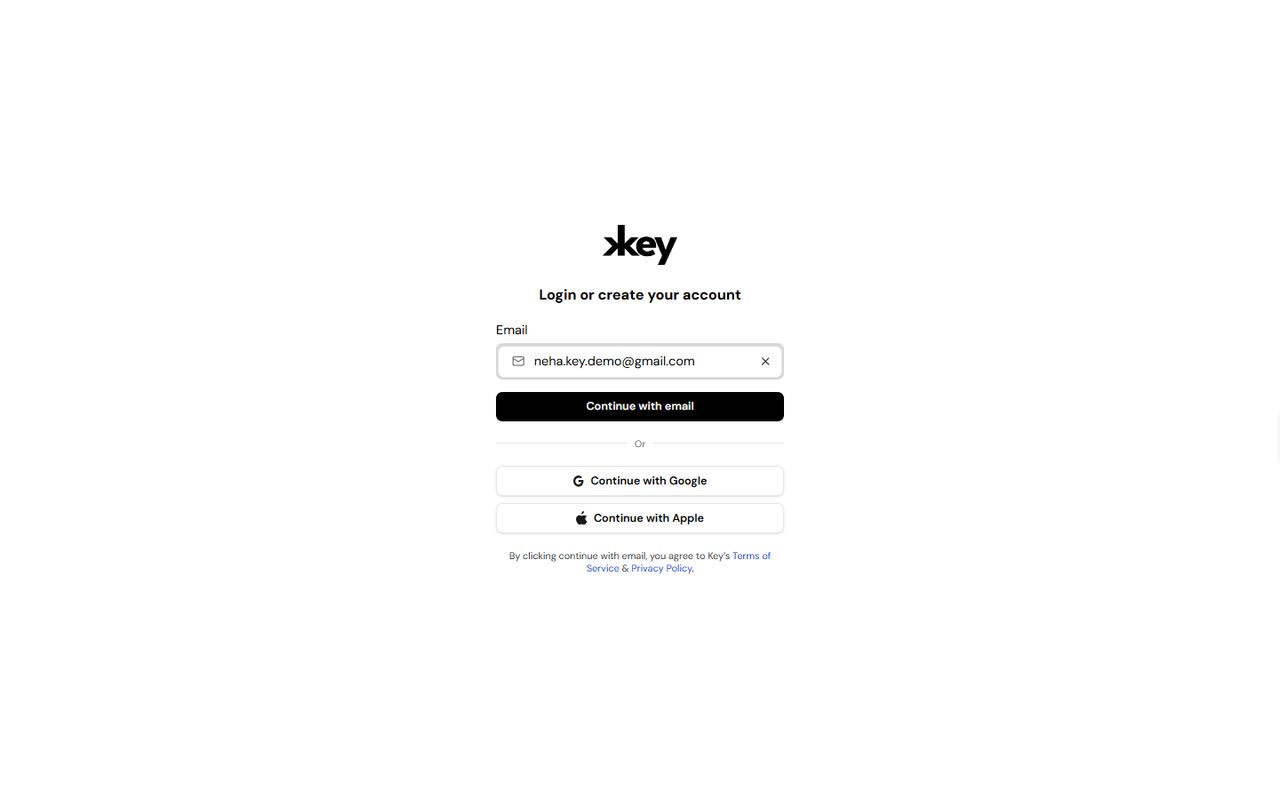
If you already have a Key AI account, you can sign in using the same authentication method you used when creating your account. Key AI supports multiple sign-in methods, allowing you to securely access your communities, events, and other platform features.
Sign In Using Your Email
To sign in using your email address:
- Open the Key AI login page.
- Enter your registered email address.
- Click Continue with email.
- Complete the authentication process.
- Once authentication is complete, you'll be signed in to your Key AI account.
Sign In Using Google
To sign in using your Google account:
- Open the Key AI login page.
- Click Continue with Google.
- Select the Google account associated with your Key AI account.
- Complete the authentication process.
Sign In Using Apple
To sign in using your Apple account:
- Open the Key AI login page.
- Click Continue with Apple.
- Sign in using your Apple ID.
- Complete the authentication process.
Tips
- Use the same sign-in method you used when creating your account.
- Ensure you're using the correct email address associated with your account.
- If you're unable to sign in, verify your credentials and try again.
Frequently Asked Questions
Can I switch between email, Google, and Apple sign-in?
For the best experience, use the same sign-in method associated with your Key AI account.
I'm unable to sign in. What should I do?
Verify that you're using the correct email address and authentication method. If the issue persists, contact support@key.ai for assistance.
Can I access my account from multiple devices?
Yes. You can sign in to your Key AI account from supported devices using your preferred authentication method.