Kai is Key AI's AI assistant. It helps users find information, discover relevant people and opportunities, and create content across the platform. Kai can use relevant information available in Key AI, such as your profile, communities, events, opportunities, and Community Library content, to provide more useful and personalized responses.
Access Kai
You can access Kai from multiple locations across Key AI.
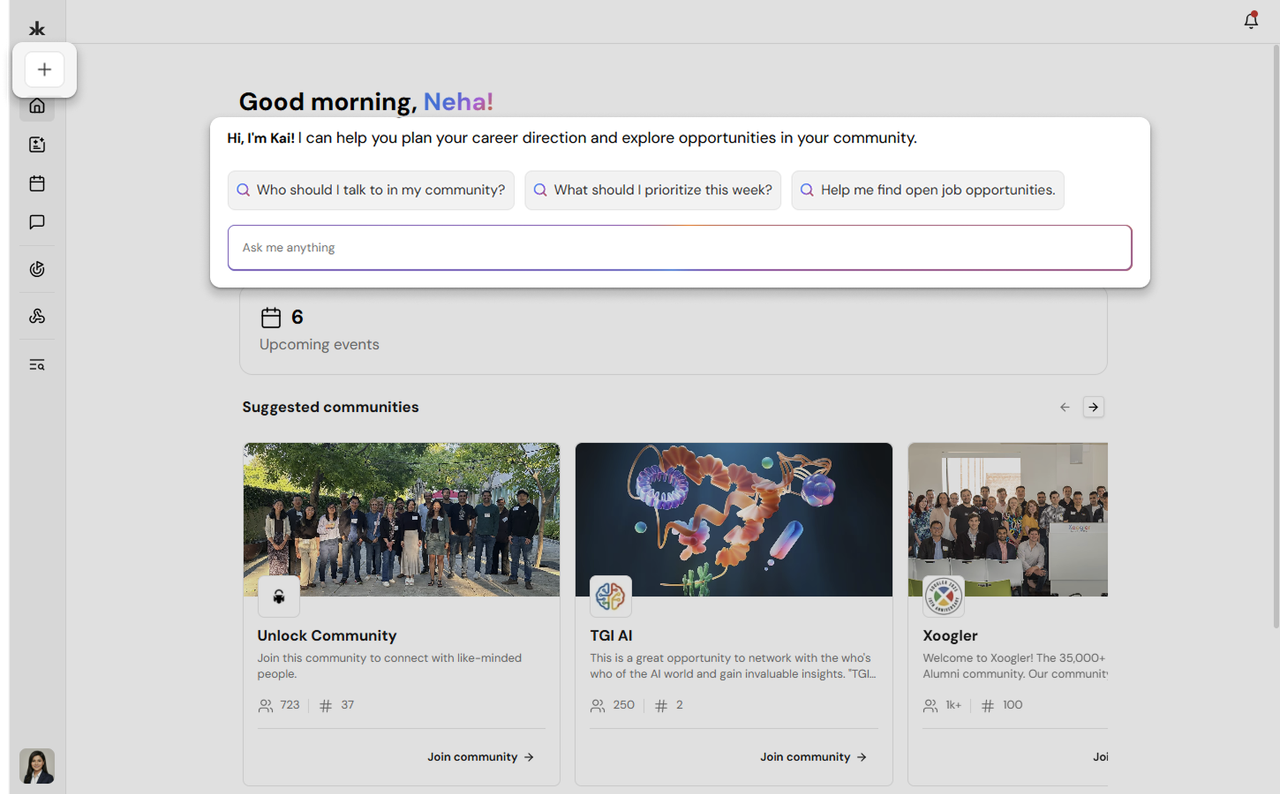
From the Home Page
- Open the Home page.
- Use the Ask me anything field to enter your question.
- You can also select one of the suggested prompts to get started.
Start a New Chat
- Open the navigation sidebar.
- Select New Chat.
- Enter your question in the chat field and send it to Kai.
Continue a Previous Conversation
Your recent Kai conversations appear in the Recent Chats section of the sidebar. Select a conversation to reopen it and continue where you left off.
Ask Kai a Question
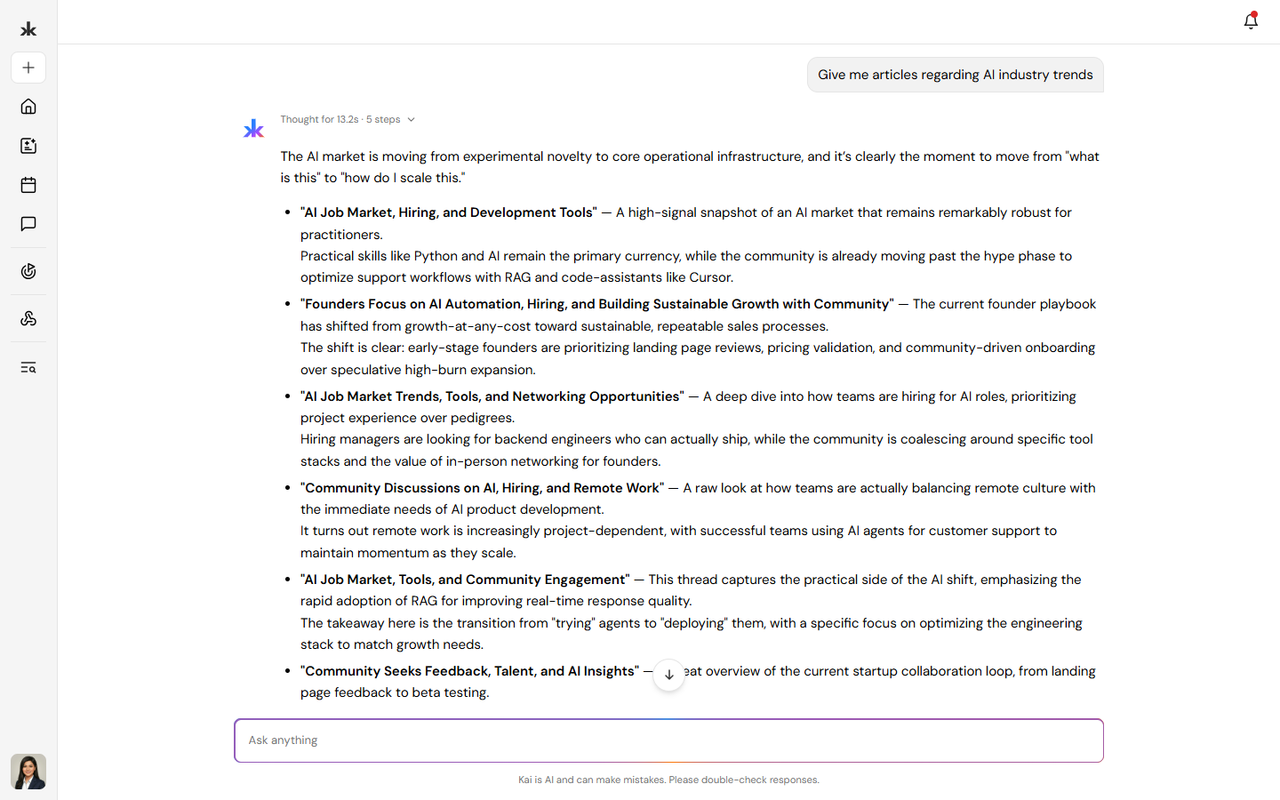
You can use Kai to ask questions about information available within Key AI.
Kai can help you:
- Find information about people.
- Learn more about communities.
- Find information about events.
- Discover relevant opportunities.
- Find information from available Community Library content.
- Get personalized recommendations.
To use Kai:
- Open Kai using any of the available access points.
- Enter your question or request.
- Submit your message.
- Review Kai's response.
You can continue the conversation with follow-up questions to explore a topic further.
Discover People and Connections
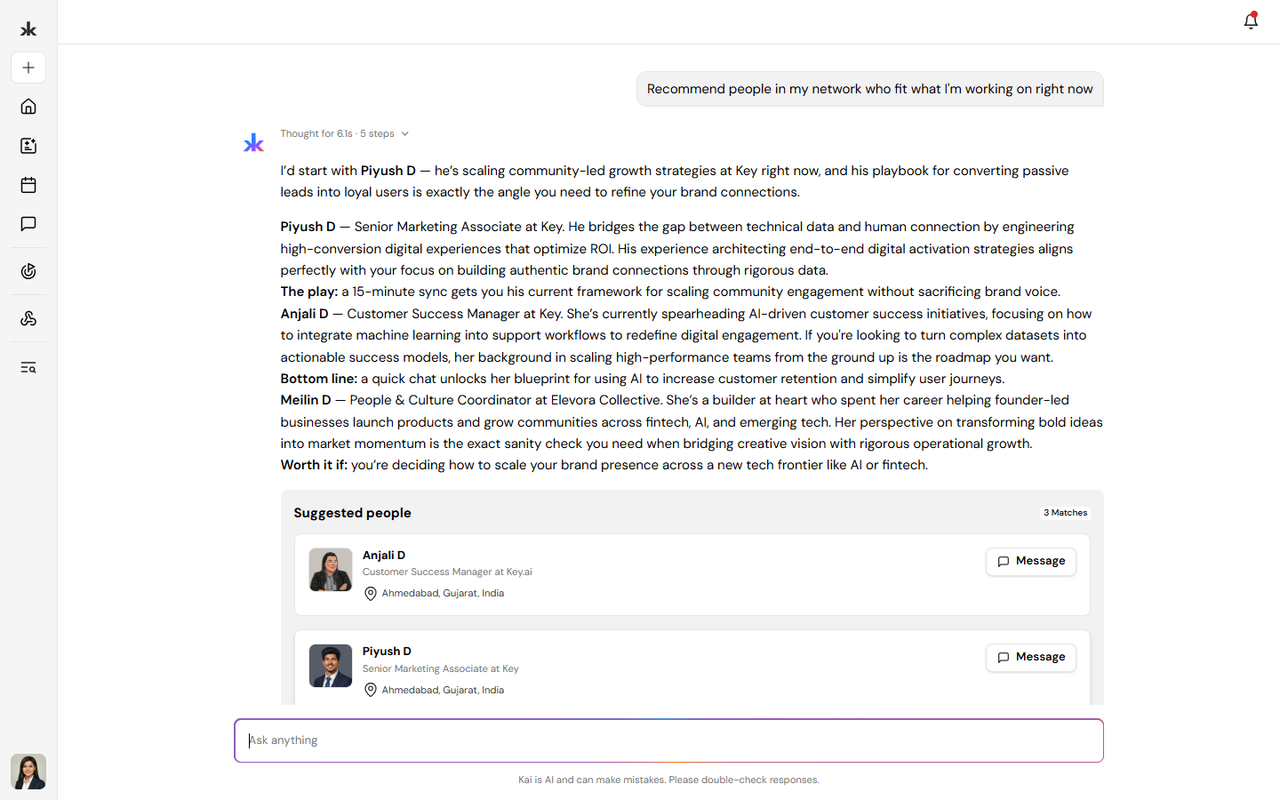
Kai can help you find relevant people based on your interests, goals, and information available on Key AI. For example, you can ask Kai to help you find people who:
- Have specific skills or experience.
- Work in a particular area.
- Share similar interests.
- May be relevant to a specific goal.
- Can help with a potential introduction.
Kai can help you discover relevant connections based on the information available on the platform.
Find Members Using Tags
Kai can use member tags when searching for people in a community. When an admin has added a tag to a member, Kai can use that tag to identify relevant members and surface them in search results. Tagged members are prioritized over more general role-based matches. For example, if a member is tagged as Speaker, searching Kai for speakers can help surface members with the Speaker tag more prominently.
Discover Opportunities
Kai can help surface opportunities that may be relevant to your goals and interests.
Recommendations may be influenced by:
- Your profile.
- Your selected goals.
- Your communities.
- Your events.
- Your interests.
- Other relevant information available on Key AI.
You can update your goals from the Opportunities section to receive different types of recommendations.
Ask Kai About Library Content
Kai can help you understand and explore content in the Community Library. When viewing a Library article, select Ask Kai to ask questions about that specific article.
You can ask Kai to:
- Summarize the article.
- Explain a specific section.
- Clarify a concept.
- Find key information.
- Answer questions based on the article's content.
Use Kai to Create Content
Kai can help you create and improve content in different areas of Key AI. Where available, you can use Write with Kai to generate or improve content.
Event Descriptions
When creating an event, you can use Kai to help write the event description. You can provide information about your event, and Kai can help generate a description that you can review and edit before saving.
Community Content
Kai can help create or improve certain community content, including:
- Community descriptions.
- Community share-preview content.
You can review and edit the content generated by Kai before saving or publishing it. Kai can also help with creating the community and editing the website.
Opportunities
When creating an opportunity, you can use Write with Kai to help generate the opportunity content. You can review and edit the generated content before publishing the opportunity.
Community Library Content
Write with Kai can help create content for the Community Library. You can review and edit the generated content before saving or publishing it.
Kai and Connected Platforms
When supported connectors are connected to a community, relevant information from those platforms may be used to identify opportunities.
Currently supported connectors include:
- Slack
Key AI can identify potential opportunities from relevant conversations and automatically create opportunities from that information. These opportunities can then appear in the Opportunities section.
Review and Edit AI-Generated Content
AI-generated content should be reviewed before publishing or saving.
You can:
- Review the content generated by Kai.
- Edit the content.
- Add or remove information.
- Make sure the content accurately represents what you want to share.
- Save or publish the final version.
Frequently Asked Questions
Where can I access Kai?
You can access Kai from the Home page using the Ask me anything field, start a conversation through New Chat, or reopen previous conversations from Recent Chats.
Can I continue a previous conversation?
Yes. You can open a previous conversation from Recent Chats and continue the conversation.
Can Kai create an entire event for me?
No. Event creation is completed manually. Kai can help generate the event description, but you must complete the event creation flow yourself.
Can I edit content generated by Kai?
Yes. You can review and edit AI-generated content before saving or publishing it.
Can Kai help me find people?
Yes. Kai can help you discover relevant people based on information available on Key AI and your goals or interests.
Can Kai help me find opportunities?
Yes. Kai can help surface opportunities relevant to your goals and interests.
Can Kai create opportunities automatically?
Potential opportunities can be automatically identified from relevant conversations through supported connected platforms, such as Slack and WhatsApp.
Can Kai help create content?
Yes. Where available, Write with Kai can help generate content for supported areas such as events, opportunities, communities, and Community Library content.