Overview
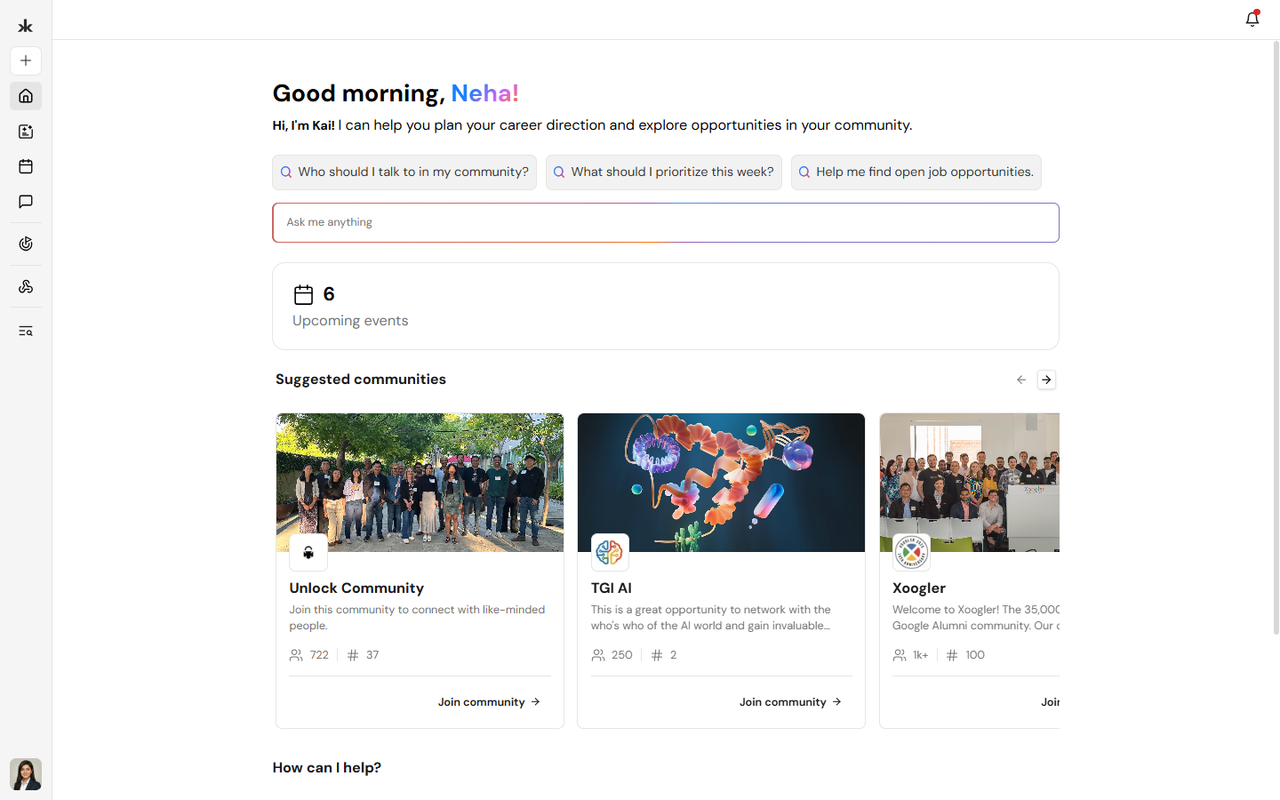
Welcome to Key AI - and to this Help Center. Key AI is where professional communities come together: join groups, attend events, share knowledge, discover opportunities, and get help from Kai, your AI assistant. Whether you are a new member or a community leader, these guides walk you through the platform step by step.
What this Help Center covers
Use the topics below to learn everything Key AI can do. You do not need to read everything at once - start with what matters to you, then come back when you are ready to go deeper.
- Account & Profile - Create your account, sign in, build your profile, and manage notifications.
- Communities - Create, join, or run communities with channels, members, roles, and a shared library.
- Events & Calendars - Create and discover events, sell tickets, check in guests, and manage calendars.
- Opportunities - Find, create, and share intros, talent, ventures, plugs, and resources matched to your goals.
- Kai AI - Ask questions, discover people, draft content, and get personalized recommendations.
- Pulse & Registration - Ask custom registration questions and collect answers when people join a community or register for an event.
- Live Q&A - Let attendees ask questions and upvote favorites during events.
Your first steps
If you are brand new, we recommend this order:
- Create your account and complete your profile so others can find and connect with you.
- Join a community - or create one if you are setting up for your organization.
- Browse upcoming events and register for anything that interests you.
- Ask Kai a question from the Home page to see how AI can help you navigate Key AI.
- Explore Opportunities to discover relevant intros, roles, or collaborations.
When you are ready, open Navigate Key AI for a guided tour of each topic area.
Who uses Key AI?
Most people start as Community Members - you can join communities, attend events, use the library, discover opportunities, and participate in Q&A. Community Admins and event hosts have additional tools to manage members, events, calendars, registration questions, and community settings. Your access depends on the roles assigned in each community.